
ComforTrade Broker: Registration, Demo & $7 Deposit
Explore ComforTrade official site access, account registration, a no-deposit demo after sign-up, the browser trading terminal and the published $7 deposit conditions. Rating Broker is an independent guide, not the platform operator.
Register, open the free demo, then check account conditions
The account flow starts with registration and an email/password sign-in. The Demo mode can be explored without depositing money, while the cashier and funded operations follow account requirements. Archived screenshots of the terminal, demo, history, and mobile interface are included below.
Review sign-up instructions ↘- 01Sign up
Create the account and access the Demo balance.
- 02Explore the terminal
Review asset choice, trade timing, amount and BUY/SELL controls.
- 03Check the cashier
Deposit and withdrawal requirements depend on current terms and route.
ComforTrade Broker Account Overview
ComforTrade combines an online trading workspace with an account area for registration, virtual practice, real-money funding and transaction management. The terminal is browser-based: after signing in, the trader can select an instrument, inspect its chart, choose a contract duration and enter an amount before using the directional trade controls.
The broker currently presents Demo and Real modes, with more than 60 instruments stated in its product description. The Demo workspace is available after registration without requiring a first real deposit. Funded activity uses the Real account and follows the verification and cashier conditions shown in the broker’s current client documents.
The overview below groups the main account functions and starting payment limits. The cashier displays the currently available options and method-specific amounts for a registered account.
ComforTrade Trading Terminal and Chart Controls
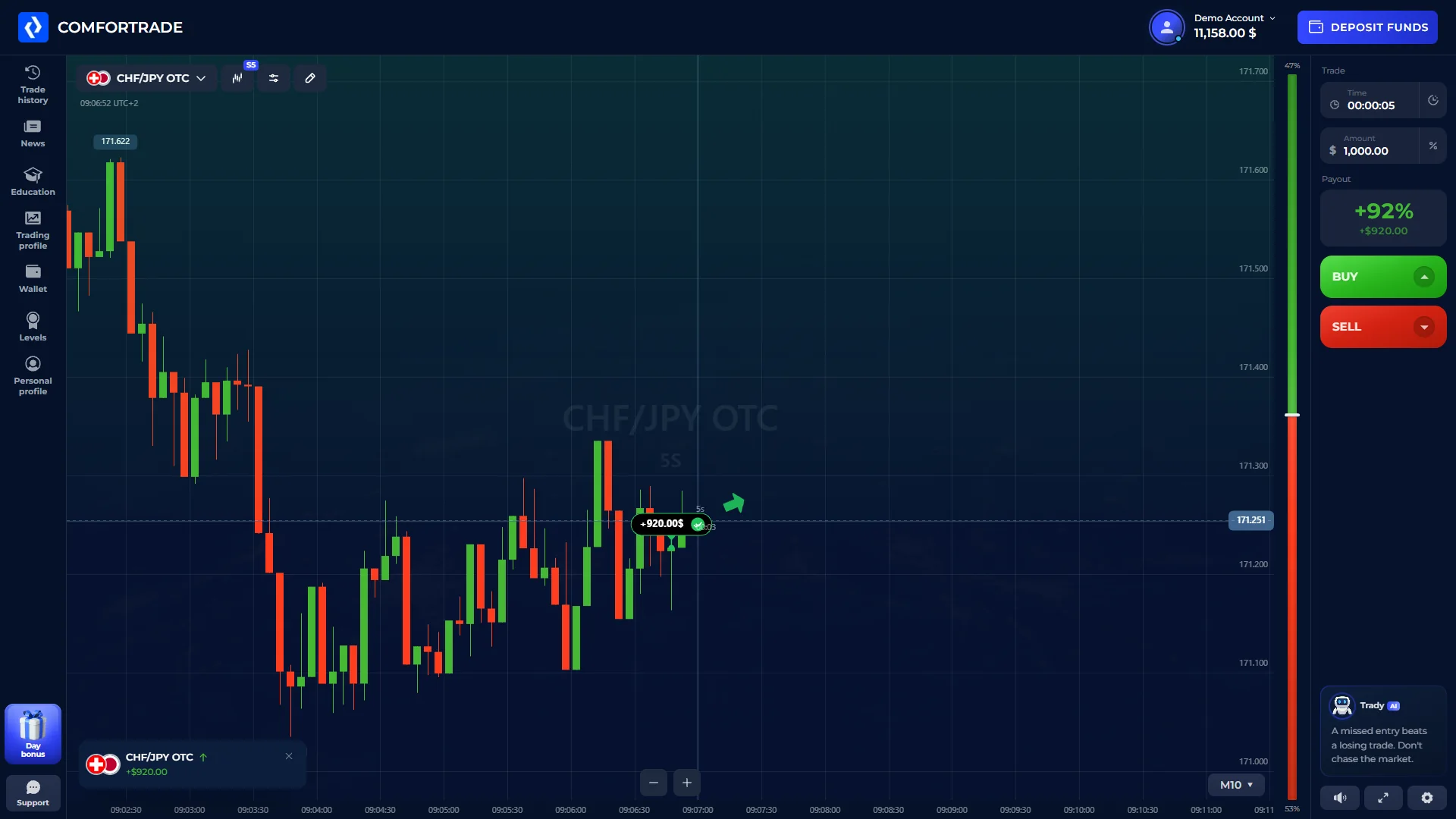
Inside the ComforTrade terminal, the working area brings several controls together. The selected market is displayed beside the price chart. A trade panel provides the duration, amount and currently quoted return, while the Buy and Sell buttons represent the two directions offered by the product. The broker's English onboarding confirms that the terminal runs in a browser on computers and phones.
A typical terminal visit begins with market selection. Users can inspect the chart, open technical indicators, set a time and amount, and then switch to the relevant trading direction if they choose to place an order. Values visible in the terminal are tied to the currently selected instrument and can change when the market or session changes.
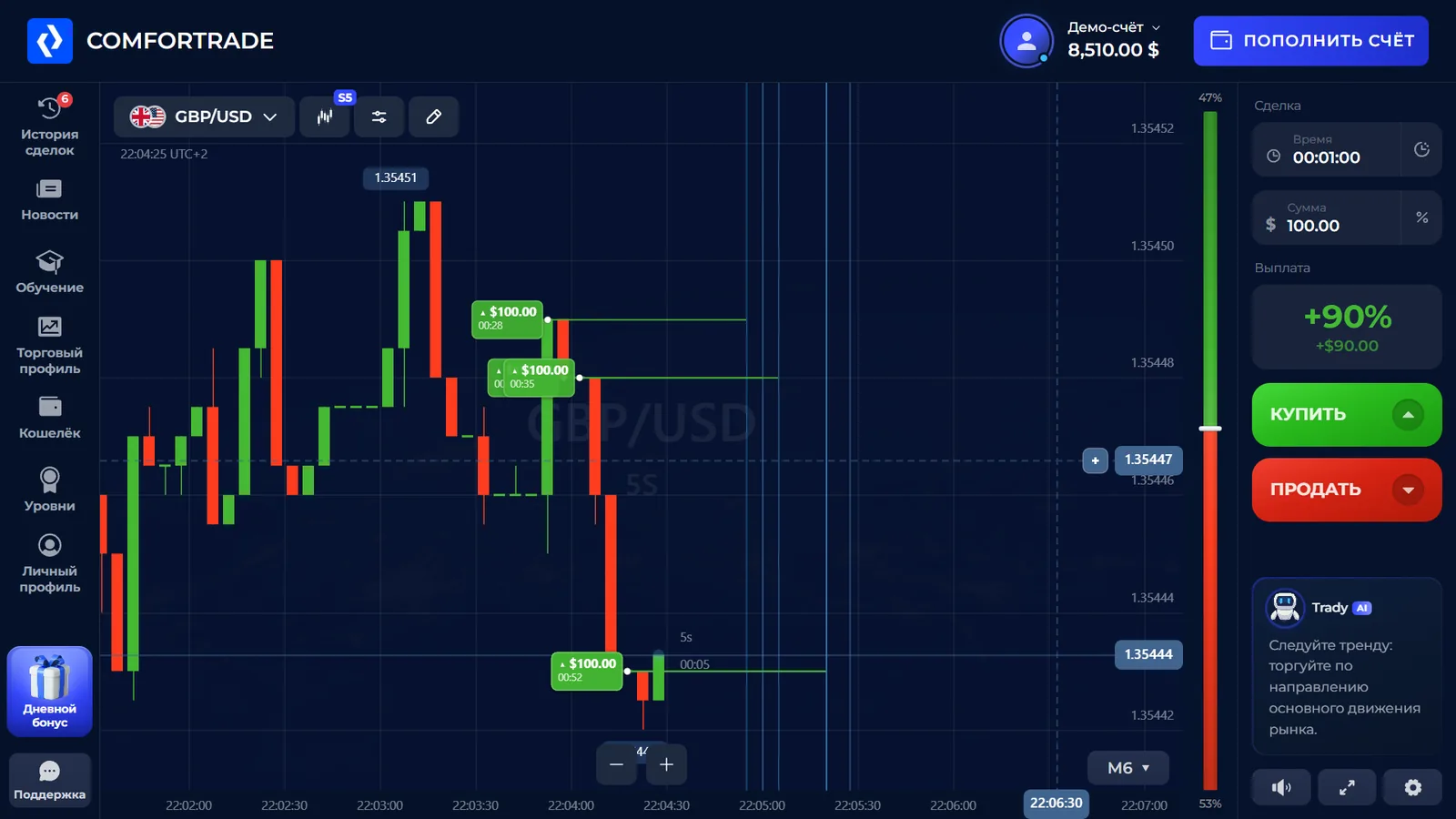
The interface also includes access to trade history and account sections. Chart settings and a record of earlier trades are particularly useful when moving between a short Demo session and later use of the Real account, because these are separate activities even though the workspace looks familiar.
Select a currency pair, cryptocurrency or another currently listed market.
Inspect price movement and the indicators offered inside the browser terminal.
Specify the available duration and amount in the order panel.
Move between trading, history and cashier functions without creating another account.
ComforTrade Demo Account and Real Balance
Demo is a practice mode that uses virtual funds. The broker's current English Getting Started instructions say that this account opens immediately after registration without a first deposit. This gives new account holders a way to learn the chart controls, instrument selector, expiry settings and trading history before using funded money.
ComforTrade demo without deposit: the documented route is to create an account, switch to Demo and work with virtual funds. Guest demo access before registration is not established here.
Real mode is separate: it reflects money deposited into the user's trading account and is subject to the broker's verification and payment requirements. A virtual Demo result is an entry in a simulated account, not a withdrawable real balance. The distinction matters because the same chart layout can be shown in both modes.
The useful first step is therefore not a deposit: create an account, open the practice workspace, identify the balance selector and become familiar with the platform navigation. When reviewing an order, check the current account mode before choosing an instrument or amount.
Demo mode
Virtual account for exploring assets, chart tools, trade controls and trade history after sign-up.
Real mode
Money-backed account using the same general terminal layout, with funding and identity requirements.
Currency Pairs, Cryptocurrencies and Trading Instruments
ComforTrade advertises more than 60 instruments, including foreign-exchange pairs and cryptocurrencies. The instrument menu is the practical source for the products available during a particular session. Examples cited in the platform's English onboarding include EUR/USD, GBP/USD, Bitcoin and Ethereum; those examples are not a complete permanent asset list.
When a market is selected, its chart and trading terms appear in the terminal. The available expiry, the amount permitted for an order and the displayed return may vary with the product. A payout percentage shown for one market should not be treated as a fixed platform-wide rate.
For users interested in technical analysis, the English trading interface documented in the existing ComforTrade.co project includes EMA, SMA, Bollinger Bands, RSI, MACD, Stochastic and other chart tools. These are interface functions, not automatically profitable trading strategies.
ComforTrade Registration and Account Access
Looking for the ComforTrade official site, registration or login? Rating Broker is an independent platform directory, not the ComforTrade operator. Our account buttons use a disclosed affiliate route to the trading platform. Check the destination and HTTPS connection before entering personal details.
ComforTrade sign up: account registration steps
- Open the registration route. Follow the platform account entry link and confirm the destination is appropriate for your country.
- Enter your email and password. Use an email you control and a unique password; follow the terms shown on the actual form.
- Confirm the account. Complete any email verification prompt and the fields required for your jurisdiction.
- Access the browser terminal. After signing in, select Demo to explore the platform without a deposit.
- Check account eligibility and KYC before funding. The published conditions distinguish the virtual Demo from Real trading and payment operations.
ComforTrade login, sign in and password recovery
Returning users should choose the existing-account sign-in form, rather than open a second profile. If login fails, use the provider's current password-recovery process and follow instructions sent to the registered email. The published agreement generally allows one Client Profile and one Trading Account per person.
Start ComforTrade registrationComforTrade Deposits and Available Payment Methods
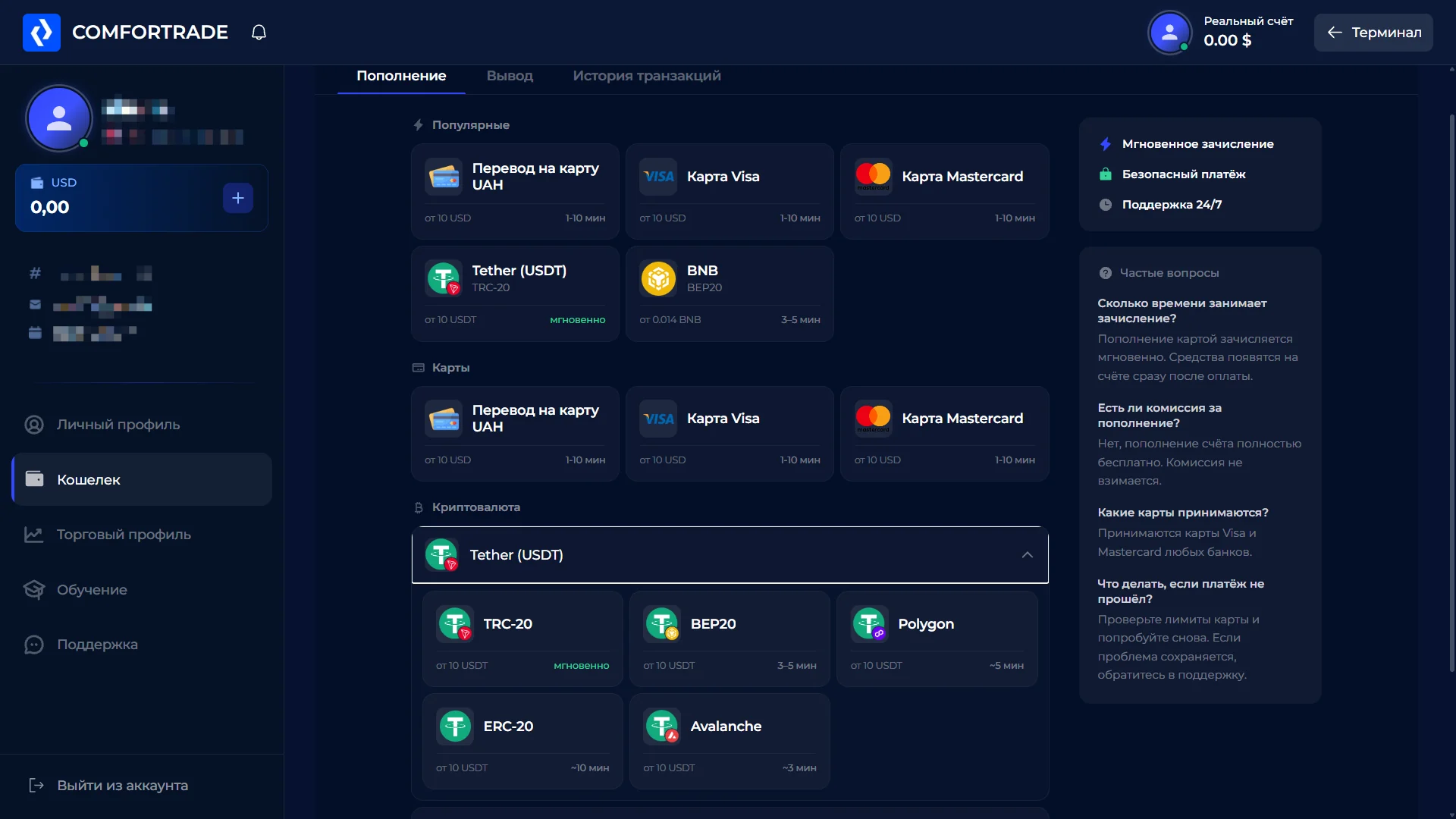
The current Client Agreement lists a $7 minimum deposit. This is a starting baseline, not a promise that every bank card or cryptocurrency route will accept precisely $7. Payment methods and currency-specific requirements are presented in the cashier, where the account holder chooses a supported option and follows its instructions.
The deposit cashier shows bank-card options and several cryptocurrency routes in one account area. The screenshot below records the English-language deposit selection, including individual method tiles and their displayed minimums.
The payment method should belong to the account holder. After the cashier confirms the supported route and amount, the account processes funding as a non-trading operation. If currency conversion is involved, the displayed conversion terms may affect the total credited amount.
View ComforTrade account cashier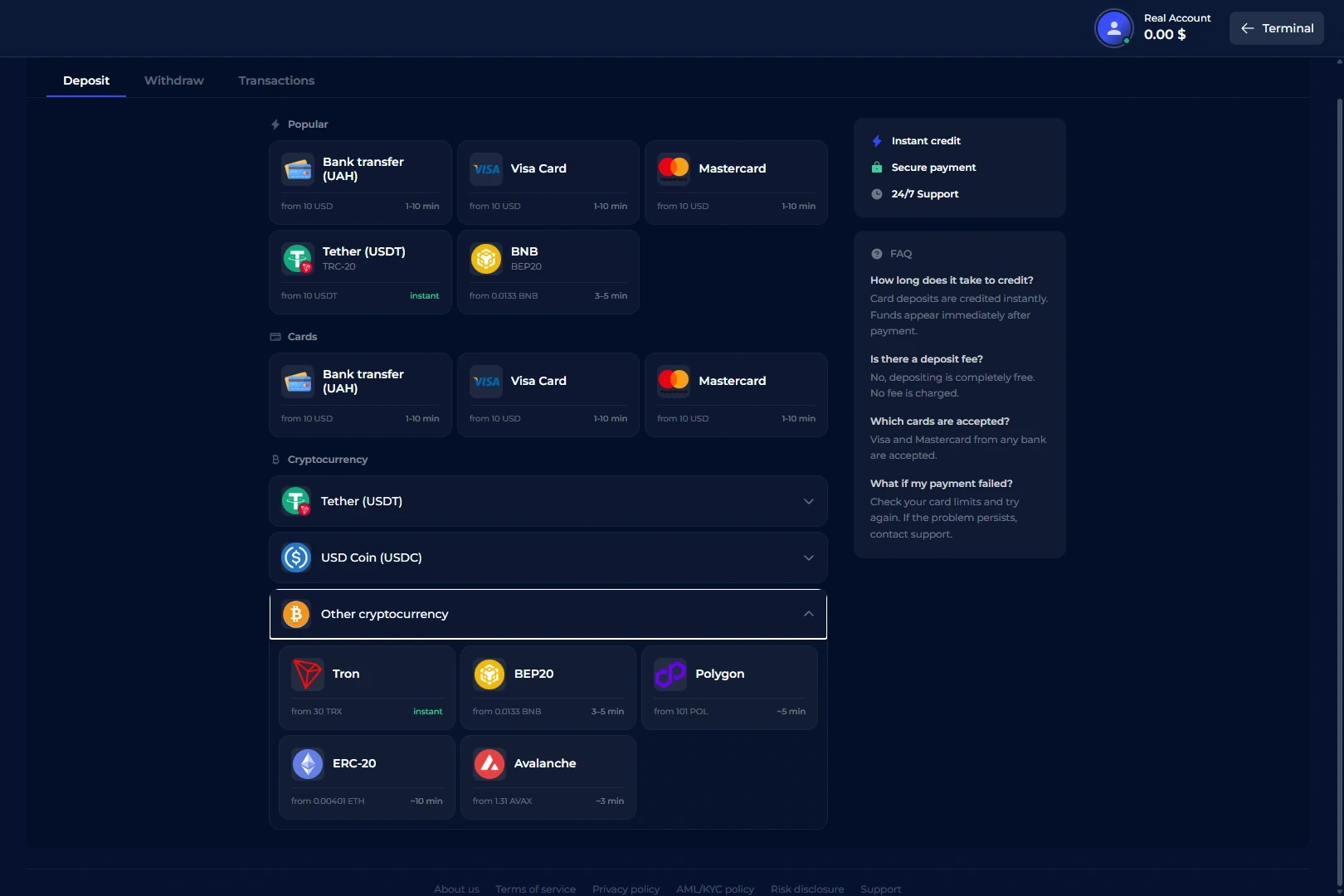
ComforTrade Withdrawal Minimum and Processing
The broker's current agreement states a minimum withdrawal request of $12. Confirmed requests are typically processed within up to two business days, although additional verification or payment-provider processing can extend the overall time before funds arrive. These are the broker's documented rules, not a record of a completed personal payout.
Withdrawal requests begin in the account's cashier. The agreement generally requires using the payment method and account details previously used to deposit, where technically possible. If the original method cannot accept a return payment, the broker may present another permitted route and request additional account information.
It helps to distinguish processing from arrival. A request may move through account confirmation and payment-provider steps before reaching the user's bank or wallet. A time quoted for processing inside the broker should not be represented as an identical arrival time for every method.
Identity Verification Before Funded Operations
ComforTrade's published onboarding materials distinguish the Demo workspace from funded trading. The current AML/KYC policy requires completion of applicable identity verification before depositing, placing funded trades or submitting a withdrawal. The verification system named in the account documents is Sumsub.
Typical documents include a government-issued identity document, such as a passport or national ID. Additional information can be requested depending on the payment method or account situation. The sensible sequence is to complete the profile accurately, follow the account's verification prompts and then continue to the appropriate cashier workflow.
These steps are part of using the account rather than a separate editorial investigation. Requirements are included here so that the registration and payment sections accurately reflect the platform's published user flow.
ComforTrade Country Restrictions Before Registration
Availability is jurisdiction-specific. The published client agreement lists restricted jurisdictions including the United States, United Kingdom, Canada, Australia and European Economic Area countries. A visitor should confirm eligibility against the operator's current terms before attempting account registration or depositing funds.
These restrictions concern access to the provider's services. They do not depend on the language used by this independent directory, and a working sign-up form does not itself establish eligibility.
ComforTrade on Desktop and Mobile Browser
The trading terminal runs in the browser on desktop and mobile. On a larger screen, the instrument list, chart and order ticket can appear together in a wide workspace. On a phone, the navigation and controls adapt to the narrower display while keeping the same account and balance environment.
Because the core workspace is browser-based, accessing Demo does not require installation of a dedicated desktop application. Users can open the broker's sign-in page with a supported browser, log in, select Demo or Real and continue to the chart and cashier as available for the account.
The product layout may change as the operator updates its web interface. Any separate downloadable app should be checked from within the broker's own current account environment rather than assumed to be the only way to use mobile trading.
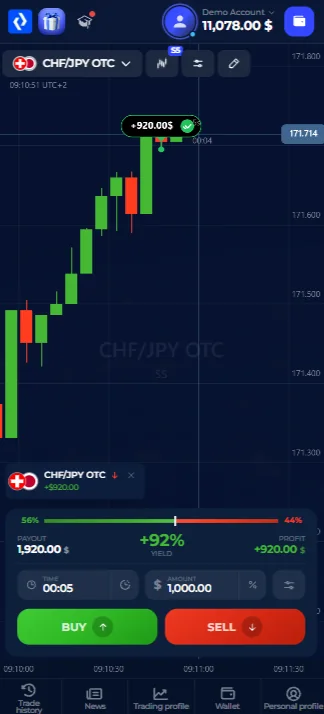
Where to Find Trade History and Account Settings
Alongside trading controls, the Client Area contains the broader account functions that make the platform usable day to day. Trade History provides the record of completed transactions, while the wallet or cashier area handles funding and withdrawals. Profile and verification screens manage personal account details.
These areas are worth locating during the first Demo visit. The user should know how to switch back to the terminal from the cashier, how to inspect a completed trade and where the balance mode is shown before moving from practice to funded activity.
The browser terminal includes tools for technical indicators and access to recorded trades. Navigation remains part of the same Client Area, so users can move from the chart to account functions without starting a new session.
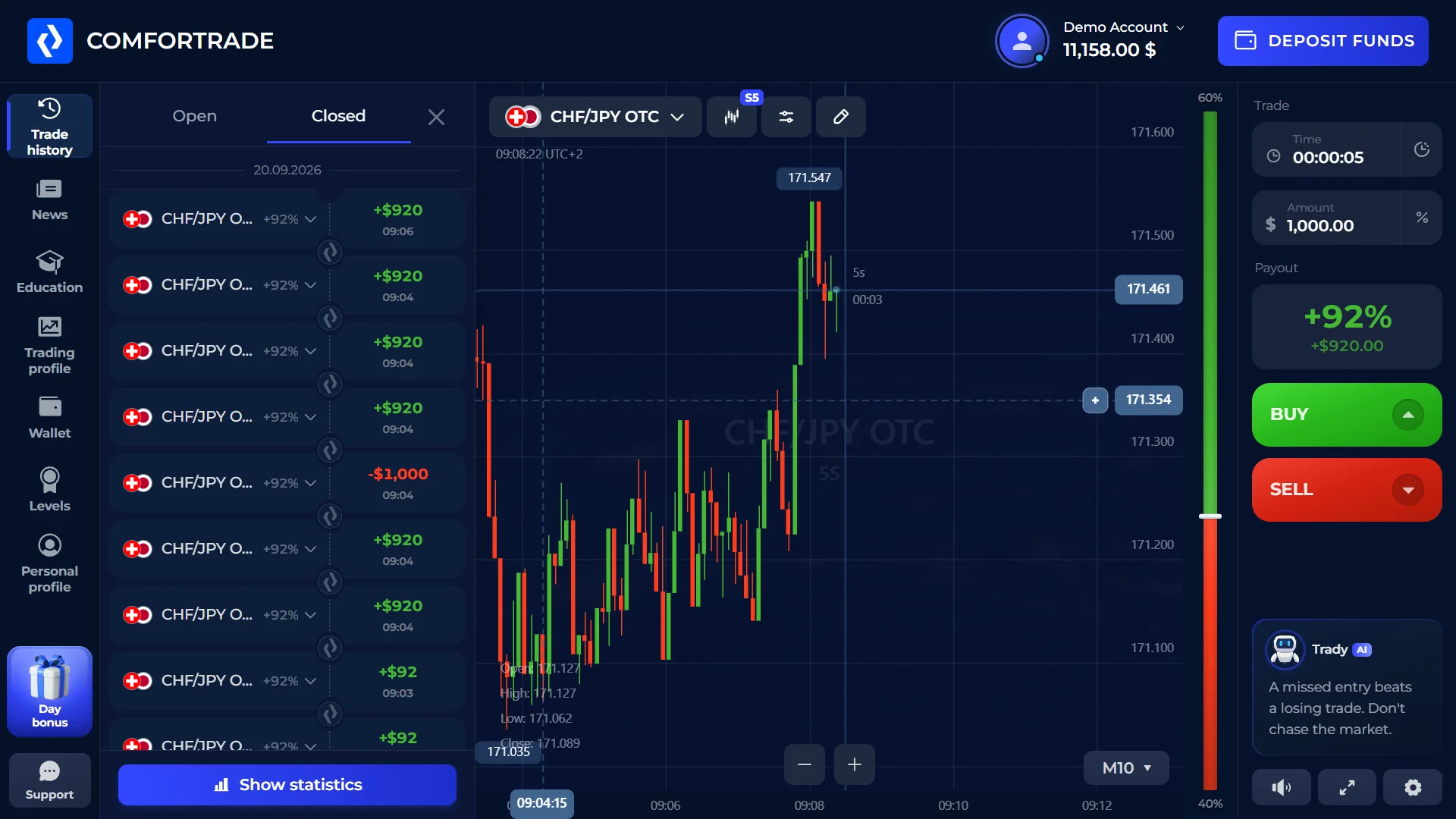
Detailed ComforTrade Platform Information
For the full English-language walkthrough of the browser terminal, screenshots of account navigation and further information about the account lifecycle, see ComforTrade broker information. This is an independent site belonging to the same publisher; Rating Broker does not operate the broker's trading service or hold account balances.
The linked guide covers the trading terminal in greater depth, while the account summary here provides the main Demo, registration, payment and access conditions in one place.
ComforTrade Broker FAQ
What is the ComforTrade trading platform?
It is a browser-based trading terminal inside the broker's Client Area, with instrument selection, price charts, duration, amount and direction controls.
Does ComforTrade offer a Demo account?
Yes. The broker says Demo opens after registration with virtual funds and does not require a first deposit.
What is the ComforTrade minimum deposit?
The current agreement lists $7 as the basic minimum deposit. The cashier may show different limits for particular payment routes.
What is the ComforTrade minimum withdrawal?
The published minimum withdrawal request is $12 under the current agreement.
How long does a withdrawal take to process?
The agreement says a confirmed request is typically processed within up to two business days. Additional checks and payment-provider steps can affect the overall time.
Can I use ComforTrade on a phone?
Yes. The broker describes a browser terminal accessible from desktop and mobile devices.
What markets are available?
The broker advertises more than 60 instruments, including currency pairs and cryptocurrencies. The active terminal menu shows the current selection.
Is identity verification required?
The current AML/KYC policy requires applicable identity verification before funded account operations, with documents handled through the broker's verification process.
Where can I find ComforTrade official site access?
Rating Broker is an independent directory. Use a verified account-access route, inspect the final destination and check the service's current country restrictions before creating an account.
How do I register or sign up with ComforTrade?
Open the registration form, enter an email address and password, complete any email confirmation, then sign in and select Demo. The current account flow and eligibility requirements are determined by the provider.
Can I use ComforTrade demo without a deposit or registration?
Demo is described as available after free account registration without a first deposit. An unregistered guest demo has not been independently confirmed.
Which countries are restricted for ComforTrade accounts?
The published client agreement lists restrictions including the United States, United Kingdom, Canada, Australia and the EEA. Check the latest terms before signing up, because availability can change.
ComforTrade Registration, Demo and Account Access
Review the browser trading terminal, Demo and Real modes, published $7 deposit and $12 withdrawal baselines, verification and country availability before you proceed.
Trading products involve financial risk. Account availability and terms depend on the operator's current rules and your location. Rating Broker is an independent information website.
Trading products involve financial risk, including the possible loss of deposited funds. Product and payment availability depend on location and current provider terms. Risk disclosure · Affiliate disclosure