

EXPIRY-BASED PLATFORM
Binarium
↗Expiry-based trade entry, a practice balance and an account-led trading flow.
- $10,000 virtual demo after sign-up
- Deposit routes from $5*
- Web + advertised mobile apps
THE TRADING PLATFORM DIRECTORY
Explore six trading platforms, compare demo access and account features, and see how each trading interface is arranged.
01 / PLATFORM EXPLORER
Start with the product interface and account features. Browse all six platform profiles, including the Intrade Bar walkthrough with real account screenshots.
EXPIRY-BASED PLATFORM
Expiry-based trade entry, a practice balance and an account-led trading flow.

DIGITAL OPTIONS · FUTURES
Two product workspaces, including Digital Options and Futures, with practice controls.

BROWSER-BASED TRADING
Demo and Real account modes with a browser trading terminal and dedicated cashier.
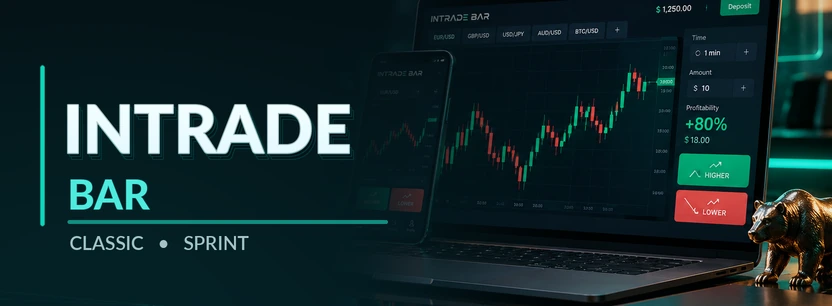
DIGITAL OPTIONS · CLASSIC / SPRINT
Digital-options terminal with Classic and Sprint expiry modes, published FXCM quote checks and guest practice access.

QUICK TRADING
Quick Trading workspace with account tools and QT Demo virtual practice funds.

DIGITAL OPTIONS
Digital Options and OTC asset categories with a virtual demonstration balance.
*Entry amounts are published or observed for specific routes and may vary by currency, method, account and country. The abstract brand illustrations are not trading-platform screenshots. External platform links may be affiliate links.
02 / ACCOUNT CONDITIONS
Compare what we can document—not a ranking of who is “best.” Different products, entry amounts, practice modes and account restrictions change which platform is appropriate for a visitor.
How to read this table: Published figures and archived account examples are not interchangeable. “Not verified” means we do not have sufficient evidence to make that claim.
| Broker | Trading mode | Demo access | Deposit entry | Minimum trade | Expiry / order controls | Withdrawals | Devices | Details |
|---|---|---|---|---|---|---|---|---|
| Binarium | Expiry-based options | $10,000 virtual balance after sign-up | From $5 for most methods¹ | Not independently verified | Asset selection, order amount and expiry | Cashier requirements vary by payment route | Web; advertised Android and iOS apps | Full profile ↗ |
| BinoDex | Digital Options + Futures | Practice mode and trading history | $5 observed for USDT / Solana¹ | $1 demo trade observed; live minimum unverified | Digital Options: expiry / Up-Down. Futures: Market / Limit, margin | Account cashier; token, network and route matter | Browser; advertised Android app | Full profile ↗ |
| ComforTrade | Browser-based expiry trading | Demo / Real after registration | From $7¹ | Not independently verified | Amount, instrument and expiry in web terminal | From $12; reported up to 2 business days after confirmation¹ | Desktop / mobile browser | Full profile ↗ |
| Intrade Bar | Digital Options: Classic / Sprint | 24-hour guest access advertised; registered demo mode | Check live cashier by route | $1 (USD account); 100 RUB (RUB account)¹ | Classic: 5-minute marks; Sprint: 1–500 minutes (excluding 2)¹ | ID verification required; provider says normally within 24h, sometimes 48h¹ | Web / mobile; Android app advertised | Full profile ↗ |
| Pocket Option | Quick Trading | QT Demo with virtual funds | Verify in account cashier | Not independently verified | Chart, trade amount and time controls | Deposit / withdrawal menus; route terms vary | Web, app and mobile access | Full profile ↗ |
| Quotex | Digital Options / OTC assets | Advertised $10,000 virtual demo | From $10¹ | From $1 advertised; confirm in terminal | Amount, duration, asset payout and direction | Cashier and identity requirements depend on account | Browser; advertised Android app | Full profile ↗ |
¹ Published or observed for a specific method, account or capture; not a universal amount. Reported timeframes are not guarantees. Features can change with country and account configuration.
How we document these details ↗02A / BEFORE FUNDING AN ACCOUNT
Price charts and demo screens are only part of the decision. Confirm the operator, your country's rules and account conditions before registering or depositing funds.
Identify the legal entity in the provider's current terms. A brand name or website address does not establish authorisation in your country.
Confirm whether the product and account type may be offered where you live. Some jurisdictions restrict retail binary-options products.
Read identity checks, funding-method requirements, withdrawal minimums and possible processing stages. Account-specific terms take precedence over example screenshots.
Check whether sign-up is needed, which products demo mode includes and how virtual balances differ from funded accounts. Demo results cannot be withdrawn.
Our method: When a condition is not verified, we say so rather than assigning a rating or assuming a licence.
03 / CHOOSE BY FEATURE
Know what you want to explore? Choose a product mode or a practice-account feature to narrow the six platform entries.
6 matching platformsProduct and practice filters
04 / PLATFORM IMAGES
View actual screens from the existing platform image library, with captions identifying the specific interface or cashier shown.
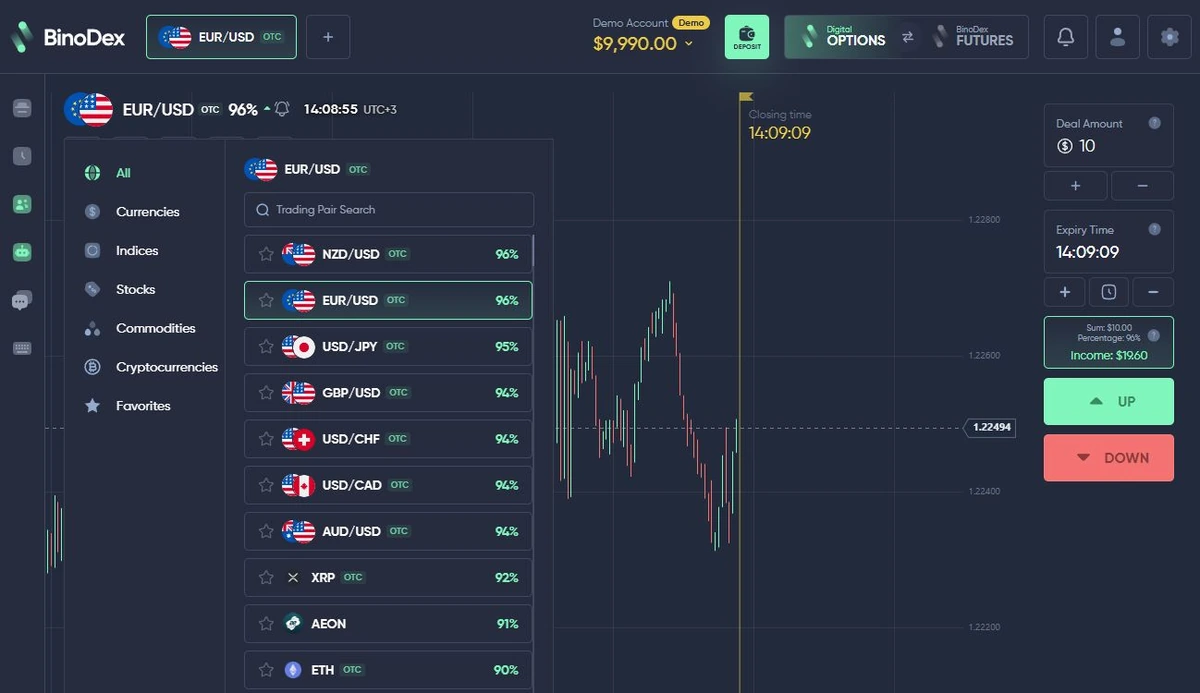
Product categories and displayed session values are visible within the trading interface.
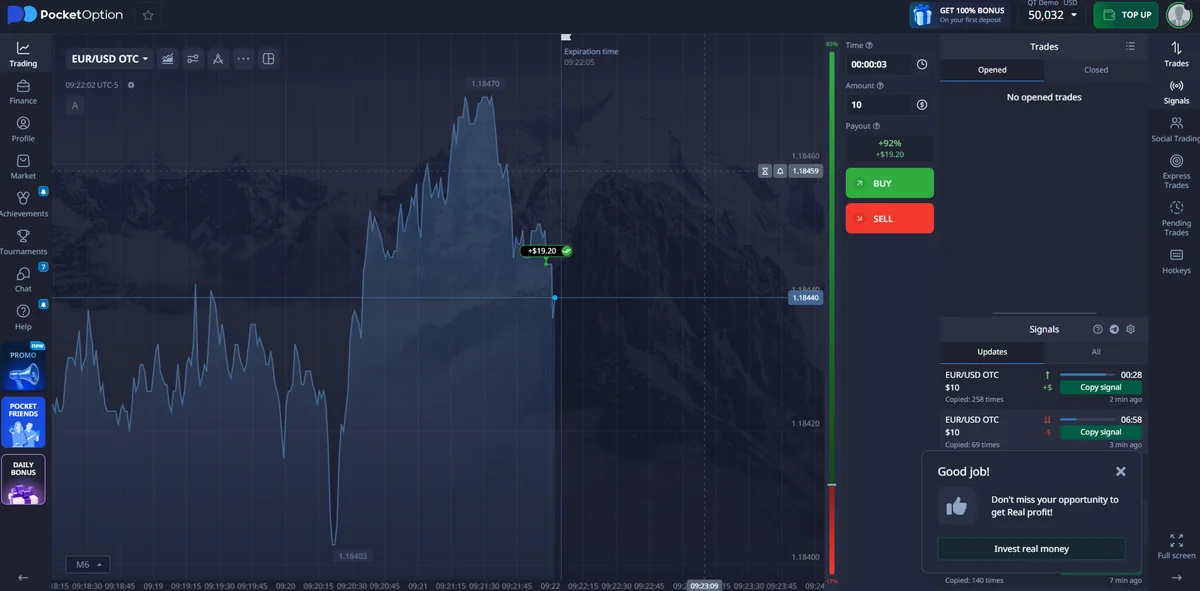
Workspace, chart and order area.
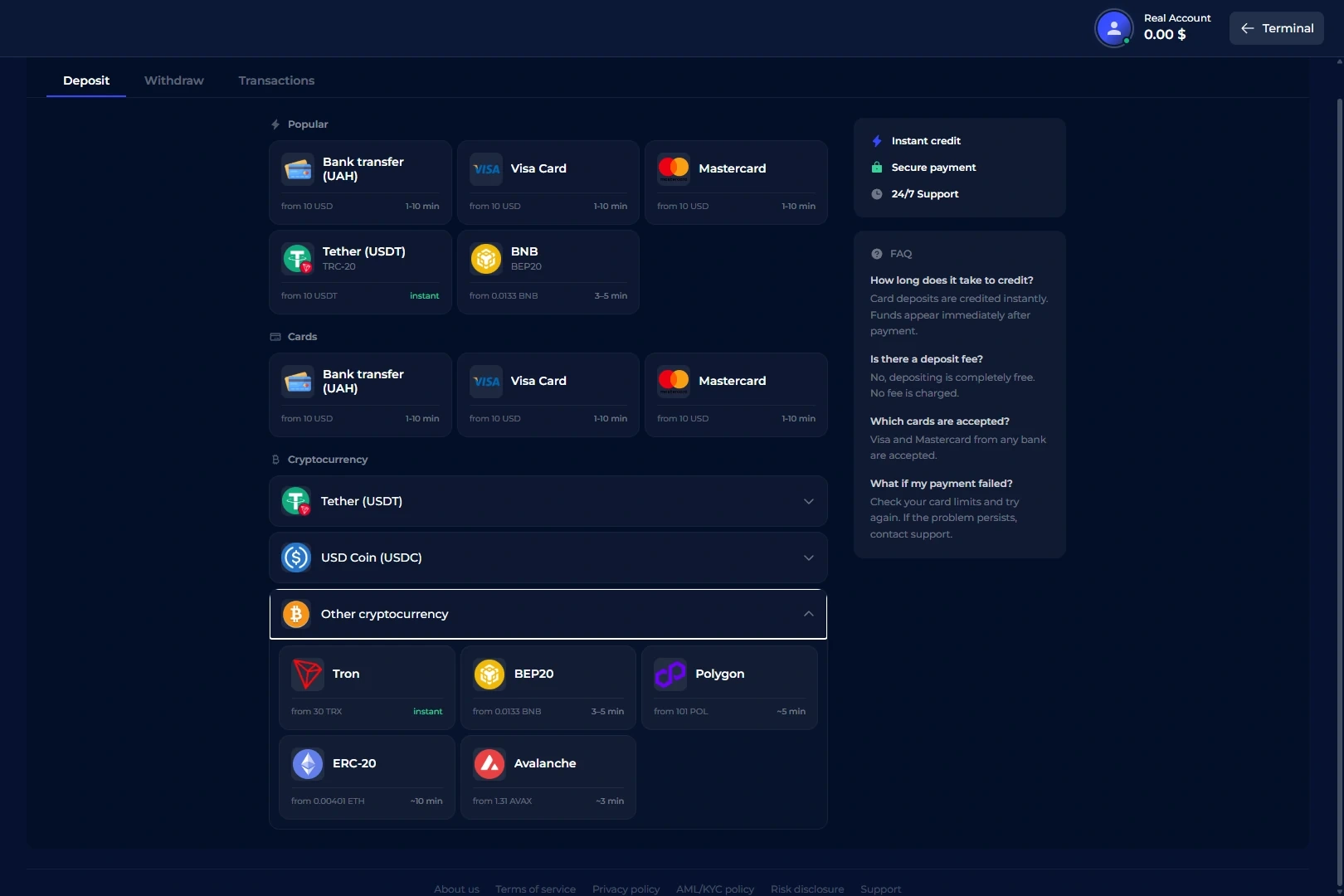
Payment panel—not a trading screenshot.
05 / PRACTICE ACCESS
Practice access can help you learn an interface before using real funds. Virtual money, available tools and the point at which registration is required are not identical across providers.
Explore demo-capable platformsBinarium describes a $10,000 virtual practice balance after registration. ComforTrade lists Demo and Real modes after account creation.
BinoDex separates product workspaces and includes practice functionality and trade history.
Pocket Option documents QT Demo. Quotex publishes a virtual demo balance; see each profile for its access path.
06 / ACCOUNT CASHIER
Published entry figures should be read in context. A crypto-specific observed amount and a broad deposit minimum are not interchangeable.
ComforTrade · actual deposit-method screenFor additional platform-specific information, see ComforTrade broker on our separate English-language project.
07 / TRADING MODES
These labels describe different product workspaces and controls. Always confirm the actual products, order parameters and account terms.
Product selection, expiry controls and trade-entry tools vary by platform and instrument.
Explore BinoDex →Explore Quotex →Short-form trade-entry workflow with chart, amount and timing controls in the browser workspace.
Explore Pocket Option →Separate product workspace with different position and order controls from expiry-based trade entry.
Explore BinoDex Futures →08 / MOBILE & ACCOUNT ACCESS
Platform availability and how well an order form works on a small screen are separate questions. Verify both before moving from practice to funded trading.
Browse platform profiles ↗Confirm the operator's official app or browser entry. Do not assume an app displayed in one country is offered everywhere.
Before placing an order, check chart readability, stake entry, expiry settings and which trading product is selected.
Currency, identity checks, funding methods and withdrawal options may differ from screenshots and advertised entry amounts.
09 / FOR WEBSITE PUBLISHERS
Looking for a partner program rather than a trading account? Explore documented commission structures, referral tools and payout processes.
PARTNER NETWORK
RevShare plans, individually agreed CPA routes, tracking and crypto-payout information.
PARTNER NETWORK
RevShare tiers, CPA / Hybrid structures and partner dashboard payout settings.
10 / QUESTIONS ANSWERED
Short answers to the decisions people typically face before exploring an account.
Each listing includes available practice-access information, but access varies. Some demo workspaces appear after sign-up; use the individual profile for the actual account path.
No single registration rule applies to every product. The Binarium practice balance and the ComforTrade demo are described as available after registration; check the other profiles for their own access instructions.
No. Currency, payment route, account and location can affect the displayed amount. BinoDex’s observed $5 USDT/Solana entry, for instance, is a specific route—not a universal minimum.
Yes. Use the feature finder to isolate the confirmed modes: Quick Trading at Pocket Option, Digital Options at BinoDex, Intrade Bar and Quotex, and Futures at BinoDex. Open each profile for controls and account details.
The comparison shows the documented cashier entry points. The linked profiles include more detailed account, payment and verification sections where available. Actual processing depends on provider terms and circumstances.
They can. Product access, payment methods, bonuses and account conditions depend on location and provider terms. Check availability with the provider before creating or funding an account.
11 / YOUR NEXT STEP
Compare account features, see the available evidence and open the provider that matches the trading mode you want to explore.
Back to platforms ↗