
How to Access Binarium, Register & Use the $10,000 Demo
Explore Binarium official site access, free registration, account login and the $10,000 virtual demo. Rating Broker is an independent guide, not the operator. The account buttons are disclosed affiliate links; always check the final destination before entering credentials.
Register for Demo before funding an account
Start with the account registration route, confirm your email, then select the $10,000 virtual Demo balance. A deposit is not required for the documented demo access; check regional eligibility before considering real-money funding.
See registration and login steps ↘- 01Open registration
Start from the affiliate-marked account link and inspect the destination.
- 02Confirm your email
Follow the operator’s account confirmation process.
- 03Switch to Demo
Explore virtual trading funds before deciding whether to deposit.
Binarium Broker Account Overview
Rating Broker is not the Binarium official website or account operator. This independent directory provides a documented registration and demo guide. Our commercial account buttons use a disclosed affiliate route; after the redirect, check the destination and current operator terms before entering credentials or payment information.
Binarium combines expiry-based contracts, a virtual training balance, an asset selector and a personal cashier in one account. An order uses a selected asset, investment amount, expiry time and Up/Down direction. The quoted payout is specific to that instrument and session, not a guaranteed return or a platform-wide percentage.
The published English FAQ describes free sign-up with email confirmation, $10,000 in demo funds after registration and a $5 minimum deposit for most methods. The $5 figure is not a universal cashier limit; different payment providers can require different amounts.
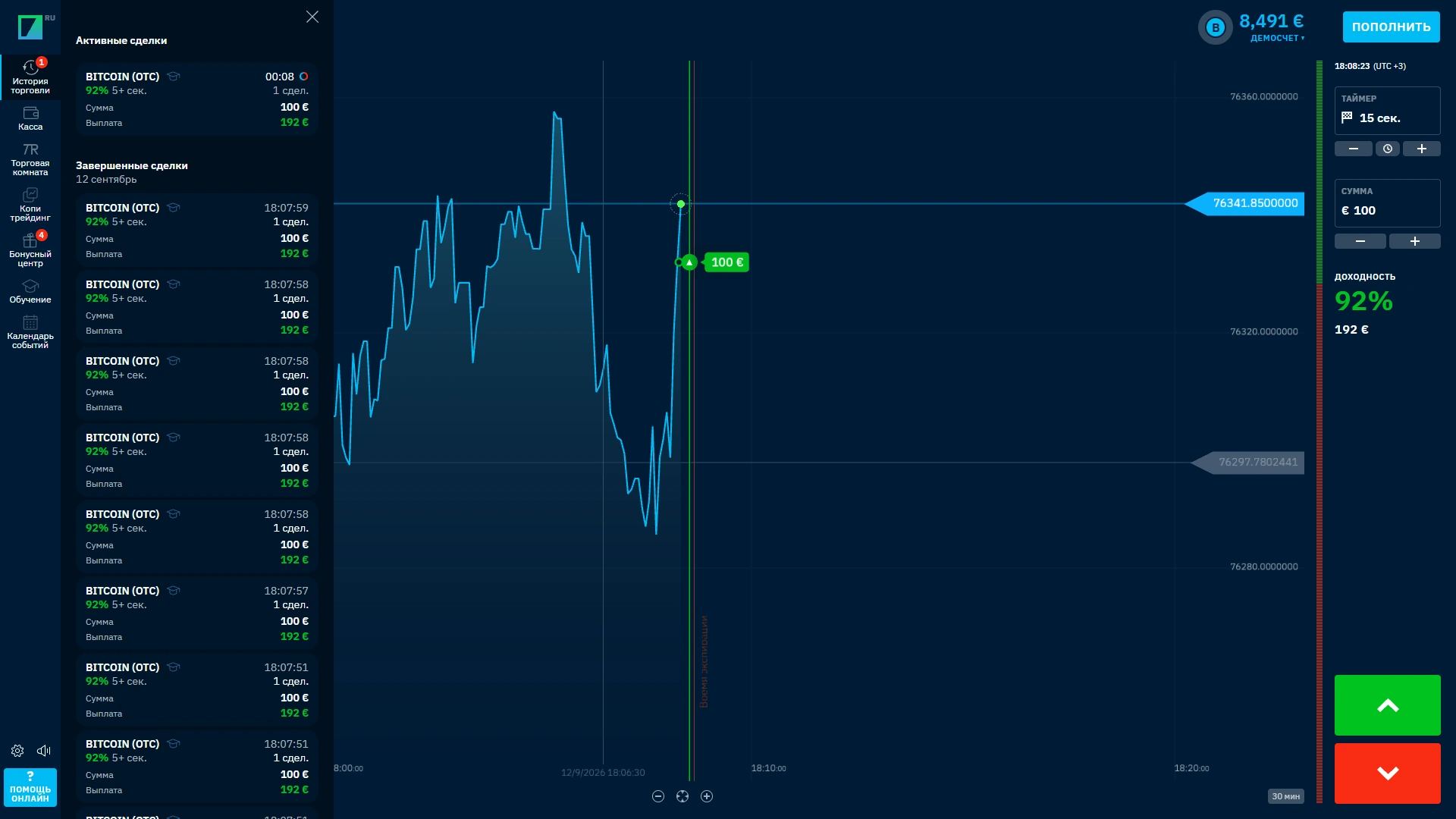
Evidence note: dated account screenshots below are from 12 September 2026 and show a Russian-language interface. They document what was visible then; menu placement and payment conditions can change.
Binarium Trading Platform and Terminal
The Binarium browser terminal displays an instrument menu, live chart, order amount, expiry selector and directional controls. The visible asset return changes with the current market and order settings. A contract closes at its defined expiry rather than being an open-ended position.
How the Binarium order ticket works
- Select an asset. Check the actual instrument name and the return currently displayed beside it.
- Choose the expiry. The operator’s instructions describe a blue dashed entry deadline and a red close-time marker on the chart.
- Choose the amount. Review the stake and possible payout for the selected contract. Published screenshots are examples, not real-time prices.
- Choose a direction. The Up and Down controls indicate which way you expect the price to move by the contract’s closing time.
- Read the trade history. Review the opened and completed contract in the corresponding account panel.
Example from the operator’s FAQ: a $10 contract with a displayed 90% return would credit $19 in total after a successful outcome ($10 stake plus $9 gain). An unsuccessful contract can lose its entire stake. This is arithmetic, not a performance forecast.
Binarium Demo Account: $10,000 Virtual Funds
Binarium’s official English help centre says a newly registered account receives $10,000 in virtual funds. The documented path is free sign-up → confirm email → open Demo. No real-money deposit is required to practise.
Demo after registration
Register with a valid email, use the confirmation link and select the Demo account in the trading terminal. Demo positions use virtual, non-withdrawable funds.
Guest demo without sign-up
The official FAQ does not establish a separate guest demo that works without creating an account. We do not promise anonymous access.
Demo and Real are separate balances inside the interface. Check the active balance mode before placing any order. The operator also states that the starting demo balance can be restored once it falls below the combined value of 50 minimum trades; this threshold concerns the reset control, not an automatic cash payout.
How to return to demo mode
After login, find the active balance or account-mode switch and select Demo. If the interface layout has changed, check the account menu before interpreting a balance as real funds. Demo gains and practice losses are not cash transactions.
Binarium practice accountRegister for access to the virtual account and explore the trading controls in demo mode.
Open Binarium demo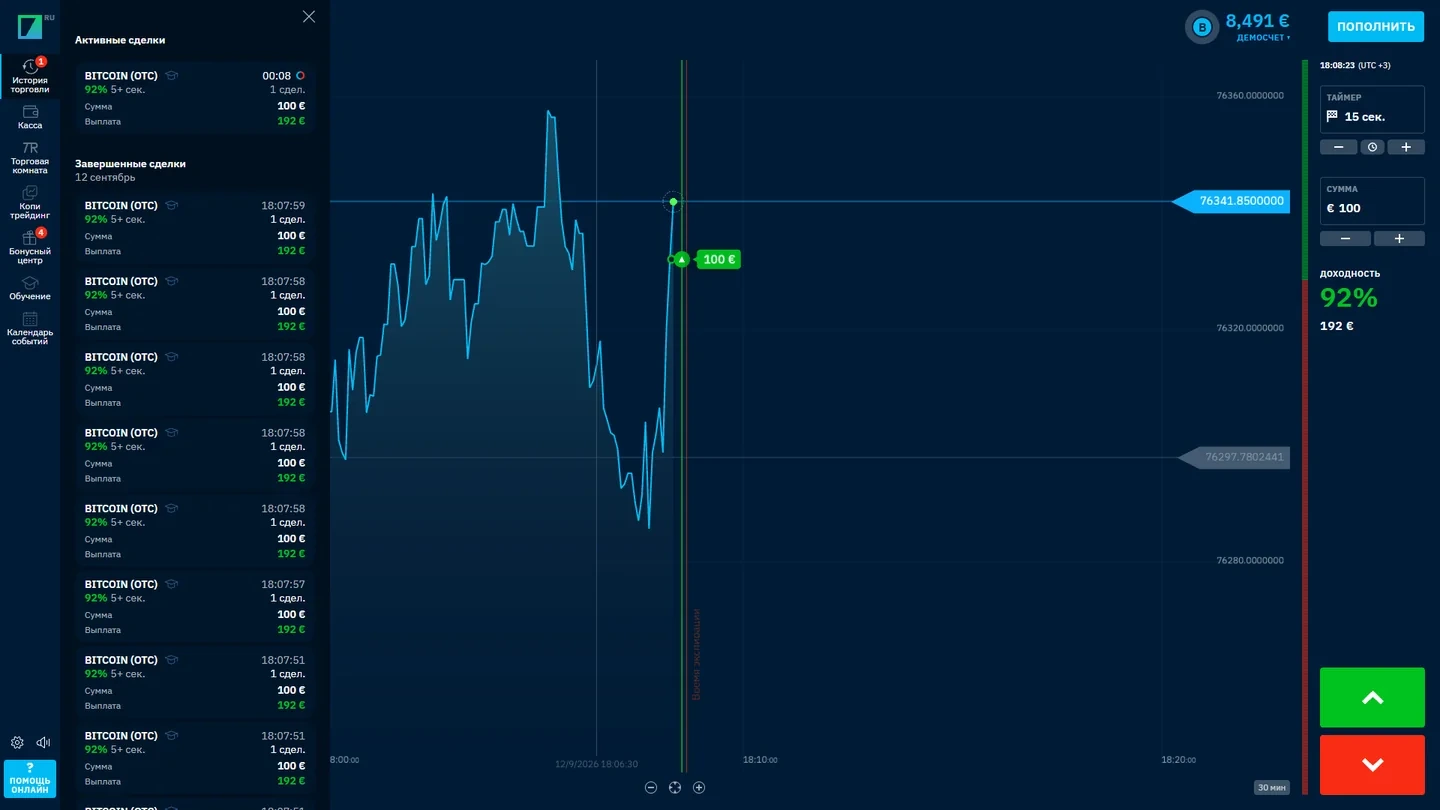
Trade Amount, Expiration and Order Direction
An expiry-based contract requires three choices before placement: the underlying asset, the money committed to the order and the time at which the contract closes. The directional controls represent the trader’s forecast of whether the quoted price will finish above or below the relevant entry level under the selected contract terms.
The offered return can differ between assets or sessions. In the operator’s own example, a $10 stake at a quoted 90% return would produce $9 profit on a successful contract, in addition to the returned stake. This is a demonstration of contract arithmetic, not a standard return for every instrument.
Before confirming a real-money order, the account screen supplies the appropriate trade amount, timing and offered terms. Changing to a different asset or expiry may also change the contract characteristics. Demo mode uses the same general workflow with virtual rather than funded money.
Binarium Assets, Trading Sessions and Quotes
The trading terminal provides an asset list with return figures beside the available instruments. The selection can include familiar market categories such as currency pairs and other financial instruments, depending on the product menu and trading session. Each listed asset opens its own chart and contract settings.
The displayed return is tied to the asset and contract on screen. It should not be read as a permanent platform-wide payout. A figure shown in a published example or an archived terminal image can change when the asset, session or expiry changes.
To navigate efficiently, choose the intended category, examine the asset title and confirm the quoted terms in the current ticket. Where an instrument is offered in a separate session, its presentation in the platform is the applicable reference for that order.
For a separate comparison focused on legacy platform status, verification and stale payment claims, read our Binarium platform status guide. That independent companion article has a different purpose from this account-access walkthrough.
Binarium Chart, Price Lines and Trade History
The Binarium chart is designed to show the selected instrument’s recent price movement together with the points relevant to the active order. The operator’s trading instructions describe entry and close-time markers that make contract timing visible directly on the chart.
After a trade closes, its result appears in the account’s trading activity. This gives the user a record of the instrument, direction, stake and outcome associated with the contract. The same view is useful in demo mode because it shows how the order ticket and account history fit together.
The chart is distinct from the cashier and profile area. Keeping these sections separate makes the account easier to navigate: prices and trades belong in the terminal, while payments and personal details are managed from the account menu.
Binarium Registration and Account Login
Account registration and login take place on the operator’s platform, not on Rating Broker. New visitors use Sign Up; existing account holders use Log In. Our account buttons are affiliate-marked navigation routes. Check the destination before sharing credentials.
Binarium registration: sign up step by step
- Follow the account button. It uses a disclosed affiliate link. Verify the final operator registration form and terms before entering information.
- Enter a valid email and password. Complete the current account fields, including account currency and any country or consent requirements shown.
- Accept the relevant agreement. Review your eligibility before submitting a registration request.
- Confirm your email. The operator sends a confirmation link; follow it to verify the new account.
- Choose Demo. The FAQ describes $10,000 of virtual training funds added after registration without requiring a deposit.
Binarium login, sign in and forgotten password
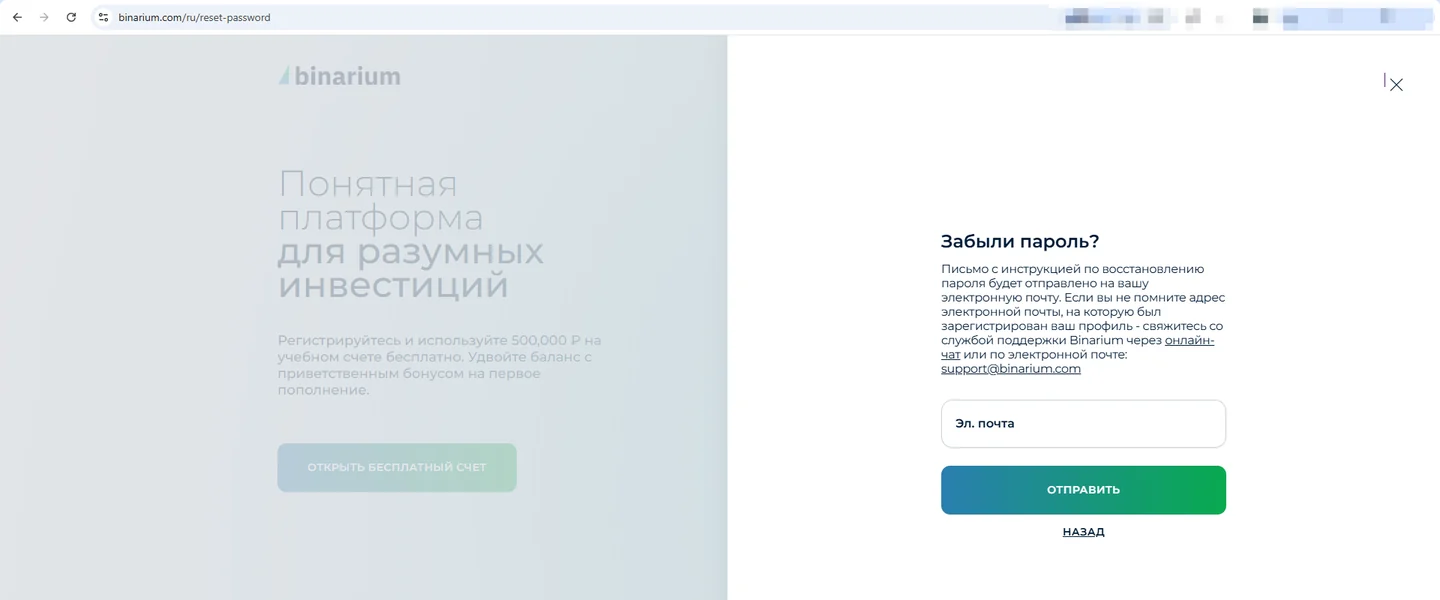
Use the existing account’s sign-in form and the registered email and password. If sign-in fails, use the official password recovery option instead of creating a second account. Binarium’s FAQ says an individual should operate only one active account. Never send passwords, PINs or verification codes to unrelated websites or messengers.
A completed sign-up does not automatically prove that deposits, withdrawals or all products are available in your country. Check the current operator agreement and account requirements before moving from Demo to Real.
Registration and first loginOpen the current sign-up form and access the demo terminal or account menu.
Create Binarium account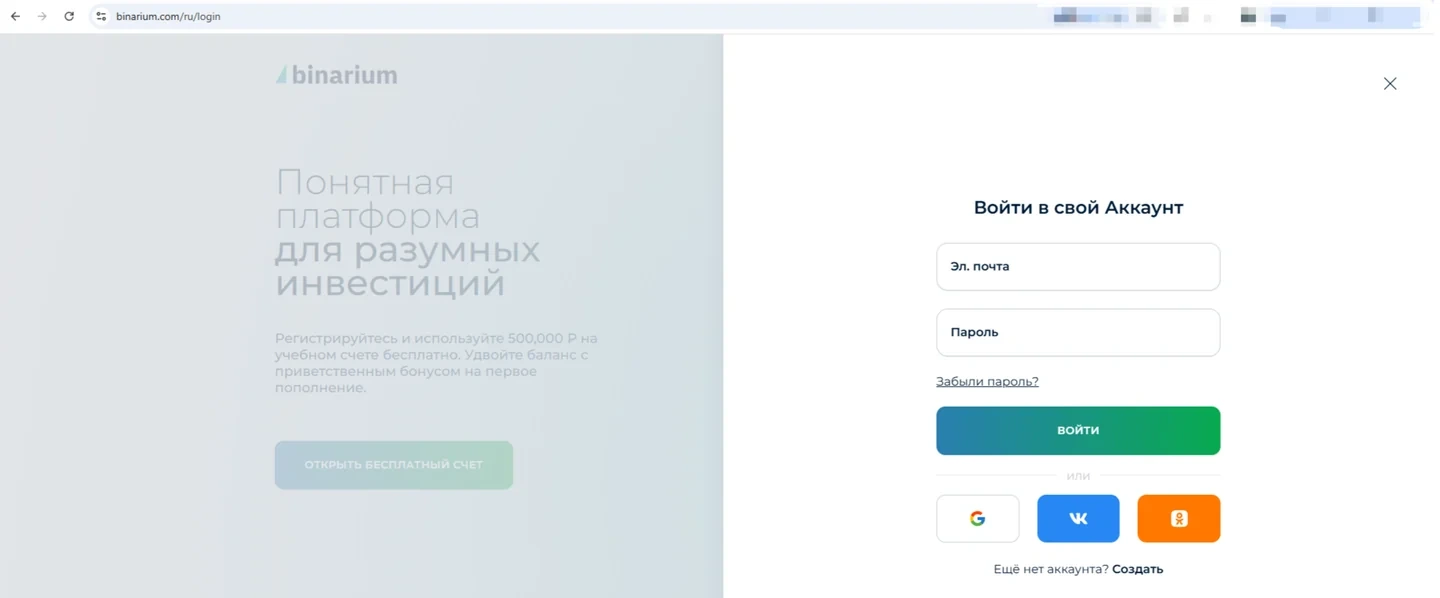
Binarium Minimum Deposit and Payment Methods
Binarium’s English FAQ lists a minimum deposit of $5 for most payment systems, or the equivalent account currency. The operator explicitly warns that the requirement can vary by payment method. The homepage also advertises cards, e-wallets and cryptocurrency, but these categories do not guarantee each route is available to every country or account.
Binarium cashier: how to check a deposit
- Log in to an eligible account and open the Cashier / Deposit section.
- Select a listed route and verify the currency, network (for crypto), displayed minimum and recipient instructions.
- Check fees, bonus terms and account-holder requirements before sending funds.
- Keep the payment confirmation; do not reuse addresses or payment details from an archived screenshot.
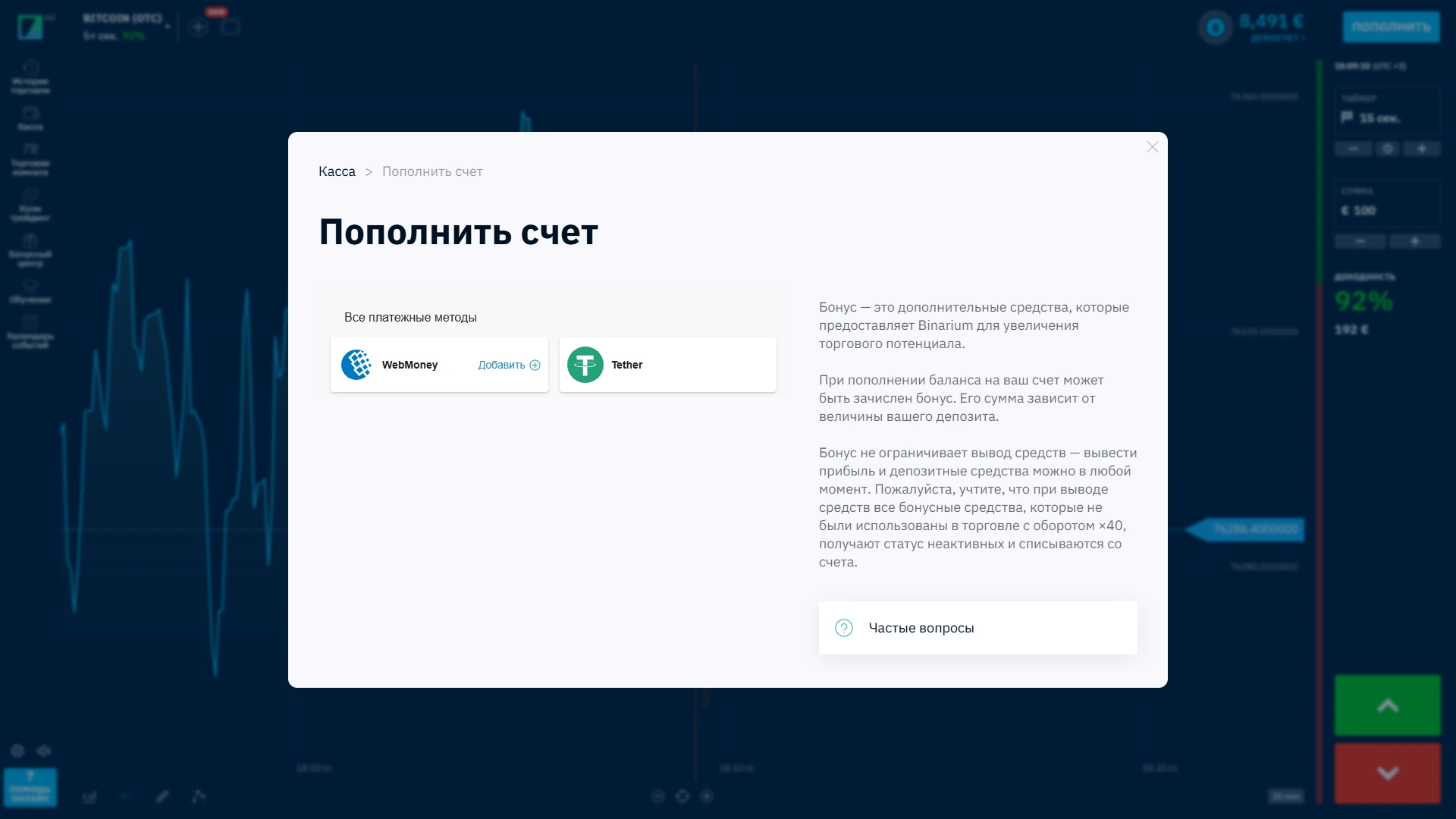
Our September 2026 account captures showed WebMoney and Tether as available deposit categories in that particular session. A separate captured Tether flow displayed a cryptocurrency payment form. These are dated examples, not current availability claims.
Binarium Withdrawals and Payment Requests
The operator advertises processing of withdrawal requests within one hour during office hours. That is an operator-published claim about request handling, not evidence that money reaches a bank or wallet within one hour. Verification and the selected provider can extend the overall withdrawal timeline.
To request a payout, log in, open the current Withdrawal section, select a method supported by your account and review the displayed minimum, identity requirements and withdrawal status. We have not independently verified a universal Binarium minimum withdrawal amount, so no specific figure is claimed here.
Verification before withdrawal
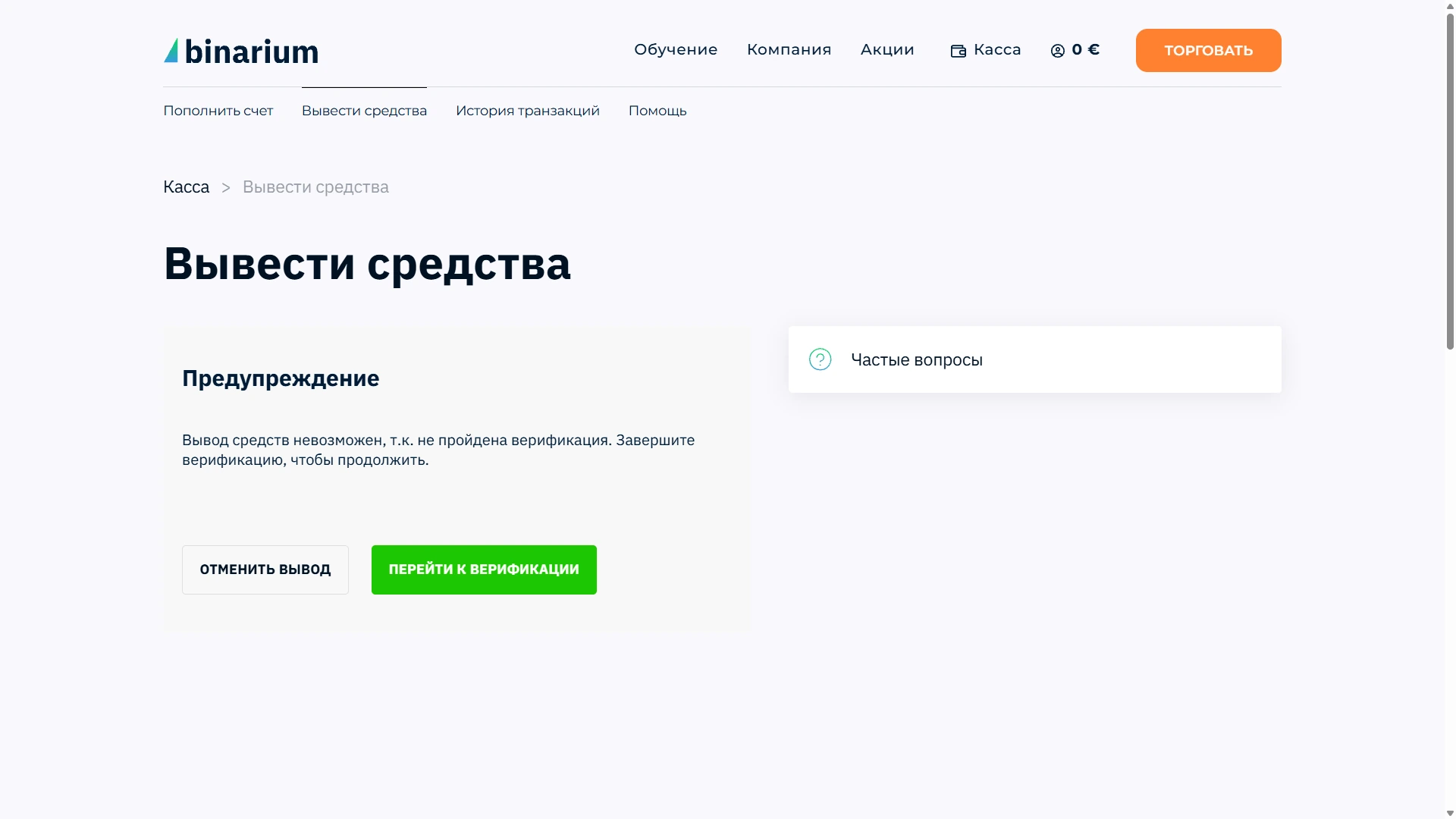
An archived account screen from 12 September 2026 showed a verification step before a withdrawal could continue. The form demonstrates that this workflow can exist; it does not establish how every account is treated or prove a completed payout. Review the current documentation requested by the operator and keep a record of submissions.
Demo funds cannot be withdrawn. Promotional bonus conditions, supported destinations, processing fees and account-holder matching requirements should also be read in the live cashier before submitting a real request.
Binarium Profile Settings and Account Verification
After signing in, use the account profile to review registered email, chosen currency, account preferences and any requested identity information. The initial email confirmation is part of free registration; later payment or withdrawal workflows can involve separate document checks.
Country restrictions before opening a real account
The operator’s published site notice states that products are not available to residents of the United States, European Union, United Kingdom and Canada. Its Client Agreement also lists other restricted jurisdictions, including Israel, Palestine, Japan, Sudan, Iran, North Korea and the wider European Economic Area. Eligibility depends on the full current agreement and applicable law, not on whether a webpage loads.
Binarium is not presented here as a broker licensed in every country. Do not use an unverified mirror or a VPN as evidence of permitted service. If your jurisdiction is excluded, do not proceed with account funding.
Account security
Use the registered email to recover access, never share one-time codes, and check payment ownership and bonus commitments in advance. A displayed virtual practice balance is not a verified real-money account.
Binarium Mobile Trading: Browser and Apps
Binarium’s official FAQ describes browser access as well as applications for Android and iOS. For mobile access, use the operator’s current verified app or browser instructions for your device and region; avoid unrelated download sites.
Android and iPhone: two access paths
Mobile browser: open the official site, use Log In and check whether the trading terminal, Demo / Real account selector, cashier and profile menus are accessible in the mobile navigation.
App: follow only the operator’s current verified download or store link. Do not assume an APK or app listing available in one country is an authorized installation channel elsewhere.
Small screens can move the amount and expiry controls into menus; re-check the selected account type and contract conditions before entering any real-money order.
Binarium Learning Tools and Trading Information
The operator provides an Education area with trading-interface materials, platform explanations and terminology. It is useful for identifying chart controls, understanding expiry markers and learning where order history is displayed. This is informational support, not a promise of successful trades.
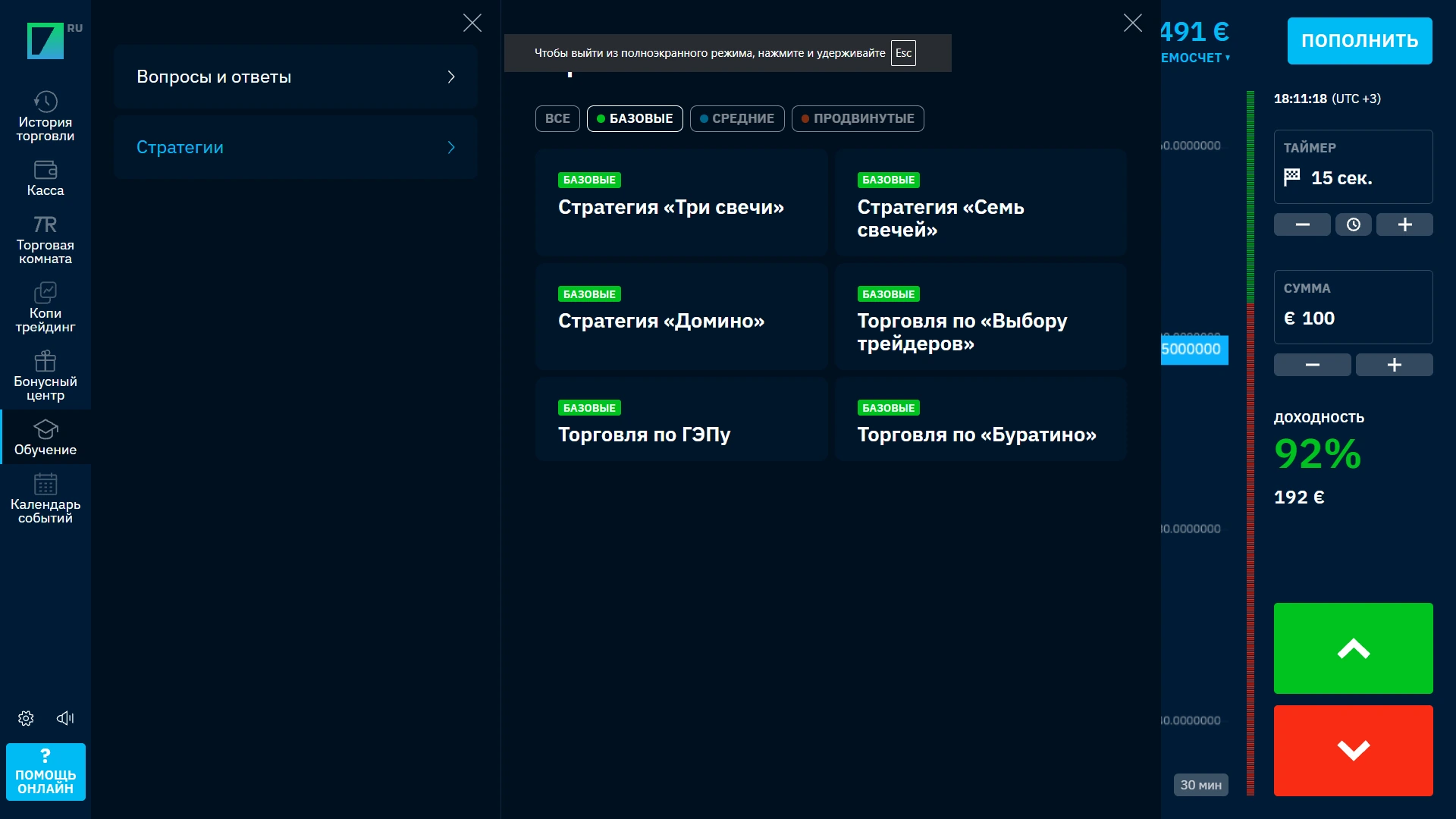
Our 12 September 2026 account capture shows an education menu in a Russian-language terminal. Its availability and navigation may differ in the current account language. Combine the educational walkthrough with the virtual Demo balance to understand the process before considering a deposit.
Binarium Account Features at a Glance
The Binarium account brings platform access, trading configuration and payment management together. The following reference table shows where each major account function belongs. It is an interface guide, not a league table or a rating.
The distinction between demo, trading history and the real-money cashier helps users find the right function without confusing a practice balance with withdrawable account funds.
| Feature | Available function | Where to look |
|---|---|---|
| Trading terminal | Asset chart, stake, expiry and direction | Main trading workspace |
| Practice mode | $10,000 virtual funds after registration | Demo / Real balance selector |
| Order history | Completed contract details | Trading activity |
| Registration | Account creation and email confirmation | Sign-up flow |
| Funding | Payment routes and method-specific minimums | Deposit cashier |
| Withdrawals | Real-balance payout requests | Withdrawal menu |
| Profile | Account settings and personal details | Account menu |
| Mobile | Web and advertised Android/iOS access | Browser or app entry |
Binarium Broker FAQ
How can I find the Binarium official site?
Rating Broker is an independent trading-platform directory, not the operator. The account button is a disclosed affiliate entry route; verify the final destination and current terms before registering or signing in.
How do I register on Binarium?
Follow the affiliate-marked account button, verify the destination, complete the current sign-up form, review the terms and confirm your email using the operator’s message.
How can I log in or reset a Binarium password?
Use the operator’s login form with the registered email and password. If needed, use its password recovery feature rather than opening another account.
Does Binarium have a demo account?
Yes. The official English FAQ describes $10,000 in virtual practice funds added immediately after account registration. Virtual funds cannot be withdrawn.
Can I use Binarium demo without a deposit?
Yes. Official instructions describe free registration and access to Demo without first adding real money.
Can I use Binarium demo without registration?
The operator’s available English FAQ documents demo access after registration. It does not establish a separate anonymous guest demo, so we cannot confirm that route.
Can I restore the Binarium demo balance?
The official FAQ says the restore option becomes available when the practice balance is lower than the sum of 50 minimum trades.
What is the Binarium minimum deposit?
The official FAQ gives $5 or equivalent for most payment methods, while warning that individual cashier methods can require a different minimum.
What is the minimum Binarium withdrawal?
A current universal minimum has not been independently verified for this directory. Check the selected account method and applicable withdrawal terms.
How fast does Binarium process withdrawals?
The operator advertises withdrawal-request processing within one hour during office hours. This does not prove the money will arrive at an external bank or wallet within that time.
Does Binarium require verification?
Email confirmation is described during registration. Depending on the account and transaction, additional verification may be required; an archived September 2026 withdrawal screen showed this step.
Does Binarium work in the US, UK or EU?
The operator’s published site notice excludes residents of the US, UK, European Union and Canada. Its agreement lists additional restricted jurisdictions, which users must check before registration.
Does Binarium have an app for Android and iOS?
The operator describes browser access and Android/iOS mobile apps. Use only the current, verified official download route available for your country.
Where can I compare Binarium with other trading platforms?
Use this directory’s platform comparison, or read the linked Binarium platform status guide on Best-Binary-Brokers.com for a separate legacy-status perspective.
Binarium Official Access, Demo and Account Features
Open the operator’s platform after checking your country eligibility, then use free registration and the virtual Demo mode to inspect the chart and expiry controls. Payment methods and identity requirements depend on the current account.
Affiliate links may earn a commission. Trading involves the risk of financial loss. Risk Disclosure · Affiliate Disclosure
Trading products involve financial risk, including the possible loss of deposited funds. Product and payment availability depend on location and current provider terms. Risk disclosure · Affiliate disclosure